

Easy Color
Color image analysis library

Main > Product > Image Processing Software > Euresys eVision > Open eVision Libraries > Easy Color
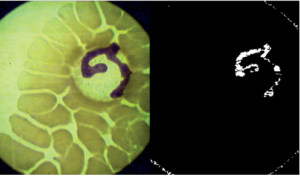
Easy Color
Easy Color includes a set of optimized color systems transformation functions and color analysis functions. The color systems supported are RGB, XYZ, L*a*b*, L*u*v*, YUV, YIQ, ISH, LSH, VSH, LCH and YSH. EasyColor provides efficient means to convert images between these systems and to transform color images into gray level images and vice versa.
The Highlight Features
- Fast conversion of images between 11 color spaces
- Color segmentation: to identify objects based on their color
- Color verification: to verify the color of objects
Key Features
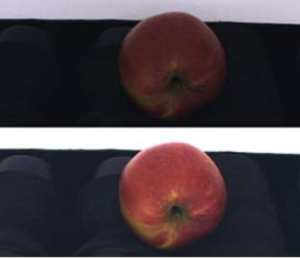
EasyColor functions
- Color transformations: Lookup Tables (LUTs) for colorimetric systems conversion, gain / offset (color), color calibration or color balance (gamma pre-compensation, white balance)
- Merging and extraction of the color image components
- Pseudo-coloring
- Color classification for segmentation
- Handling of special color formats: YUV 422 decompression and Bayer pattern to RGB
Supported by Neo Licensing System
Operation Principles

- Although the RGB (red, green, blue) representation of color images is well suited for color reproduction (it is used by monitors and cameras), many other representations have been designed for various purposes. More particularly, the “”Intensity/Saturation/Hue”” color systems are well suited for machine vision applications. EasyColor supports several of them. They separate the achromatic (black and white) component (Intensity) from the chromatic components (Saturation and Hue) which are used to describe colors. This allows a more intuitive interpretation of colors and is very useful to segment colors while eliminating lighting effects. It is thus required, when doing color image processing, to convert the RGB images coming from the camera to another color space, such as LSH, ISH or YSH. EasyColor provides a set of optimized color space conversion functions.
- Also included in EasyColor are traditional color image processing functions (such as Bayer pattern conversion and color balance correction), as well as powerful color analysis functions, which allow the user to detect and classify color objects and defects. For example, color image segmentation allows you to decompose a color image in different regions by assigning a class to every pixel. Color image segmentation can be used in conjunction with EasyObject to perform blob analysis on the segmented regions. It is also possible to filter pixels by selecting ranges of values for each component, for example, selecting “”olive green”” pixels based on their hue only, with a loose discrimination on the intensity and saturation to eliminate surface and lighting effects.
Extra Note
- All Open eVision libraries are available for Windows and Linux
Vital Vision provides a wide range of machine vision products. There is more than 2000 products for your different machine vision solution.
To know more details, please direct to our sales person today !